
Airserve is organized by websites and zones. A website represents an individual website or section within a website. Zones represent ad-slots within a website. Once you have created your websites and zones, you can begin scheduling your first advertisement.
Websites
Create websites within Airserve to represent each of your sites. By doing so, you will be able to view real-time statistics across each site.
Setting up a website in Airserve
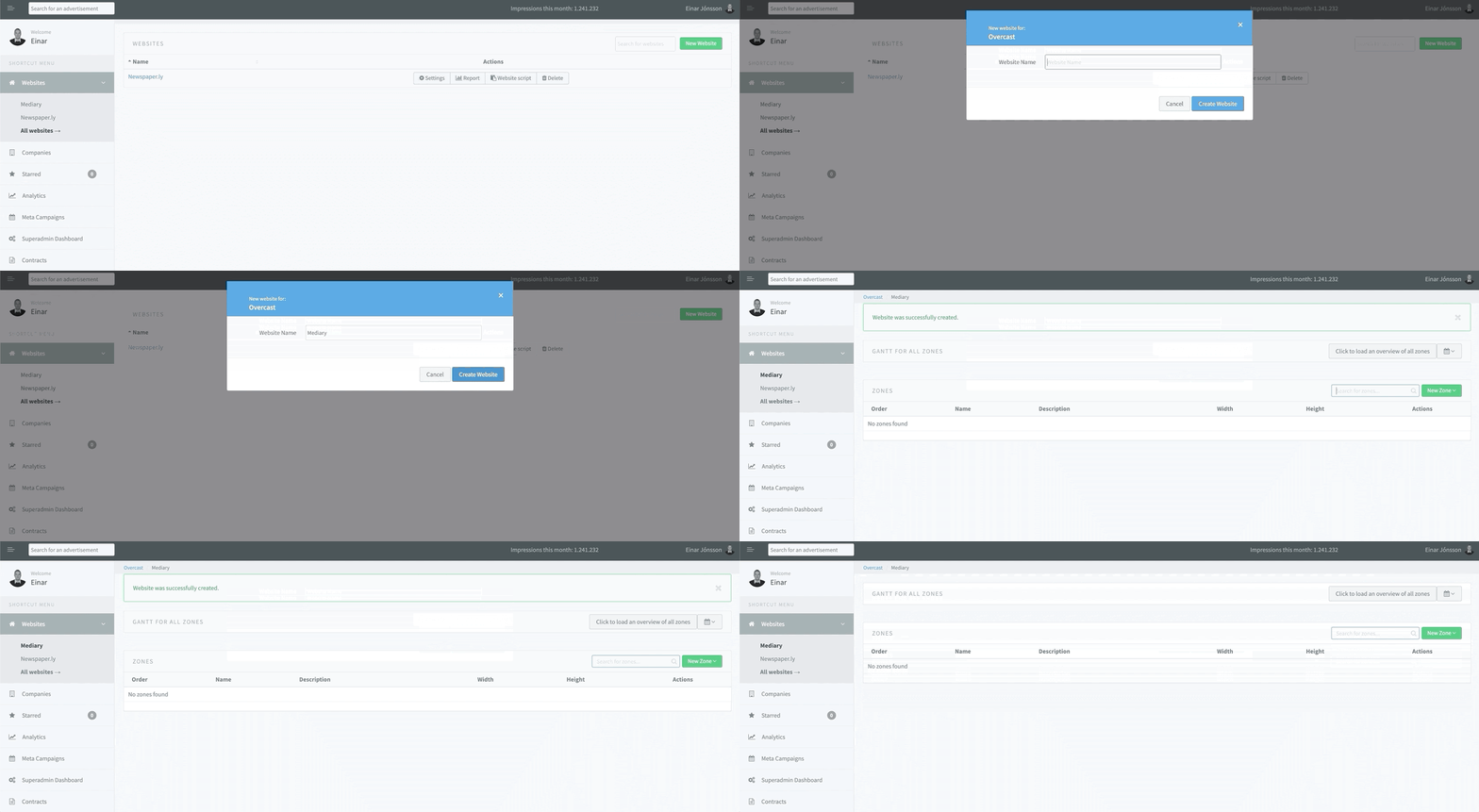
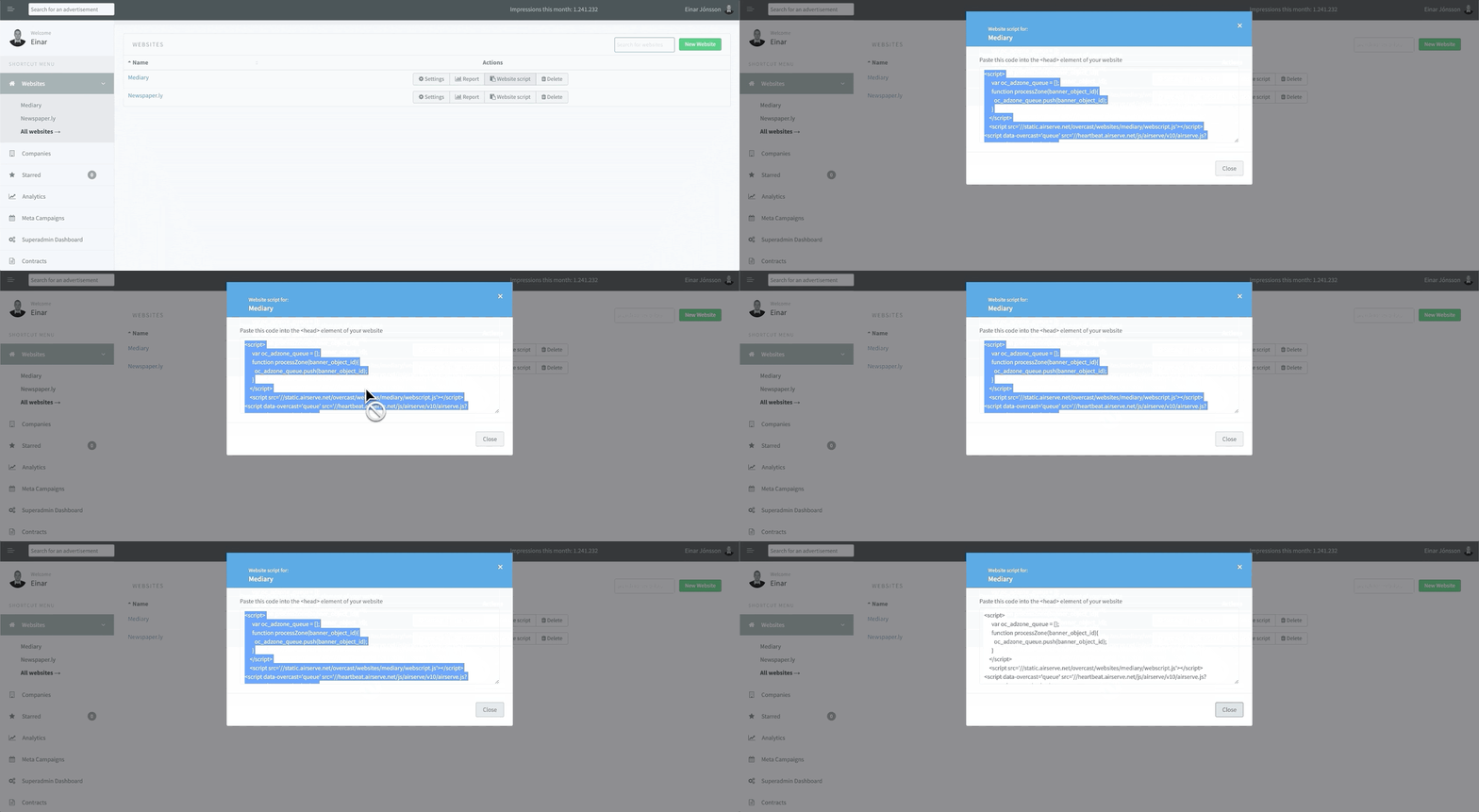
To set up a website click “Websites” in the sidebar and then click “All websites”. Next you click the “New Website” button and create a new website by giving it a name. Once you have created your website, click on the ‘Website Script’ button and paste the given script into the <head> tag of your website’s HTML.
Zones
A website has one or more zones. A zone is an ad-slot of a particular size within that website. A zone can either represent a single ad location on your site, or it can be reused in multiple places.
Setting up a zone
Setting up a zone is similar to setting up a website. Having selected a website, click on ‘New Zone’. Fill out the name and dimensions (width and height) of your desired ad-slot.
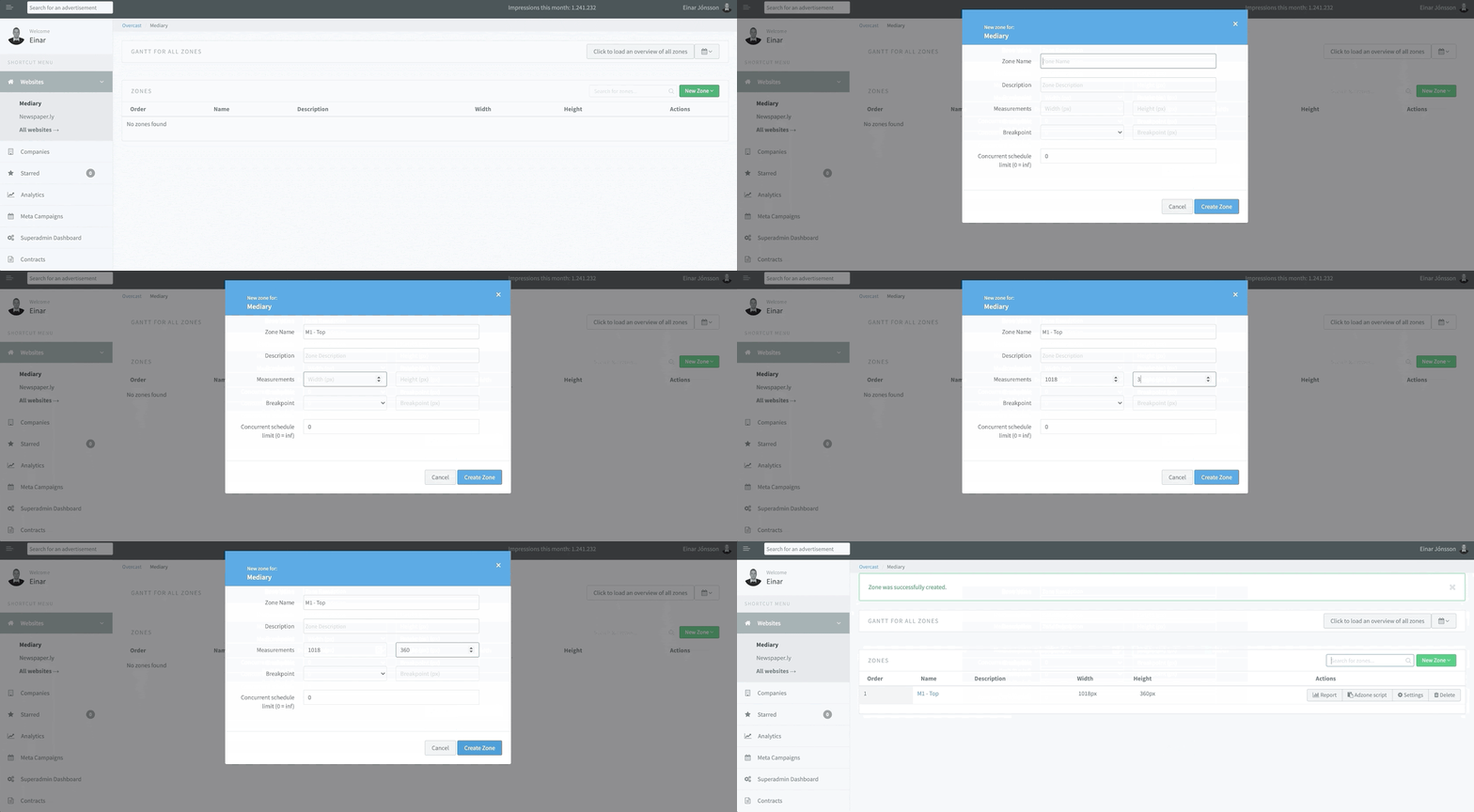
After it is created, simply press ‘Adzone Script’ and paste the given script into the ad-slot container element in your website’s HTML (e.g., a <div> element).
After you’ve pasted the script into your HTML, you can edit the zone at any time without having to update the script.
You can also register breakpoints for your zones on creation or by editing a pre-existing zone. This will ensure that a different zone is displayed when your website is loaded in a window under the breakpoint’s width. This is useful when you want to render smaller ad-slots for mobile devices in the same position of your page.
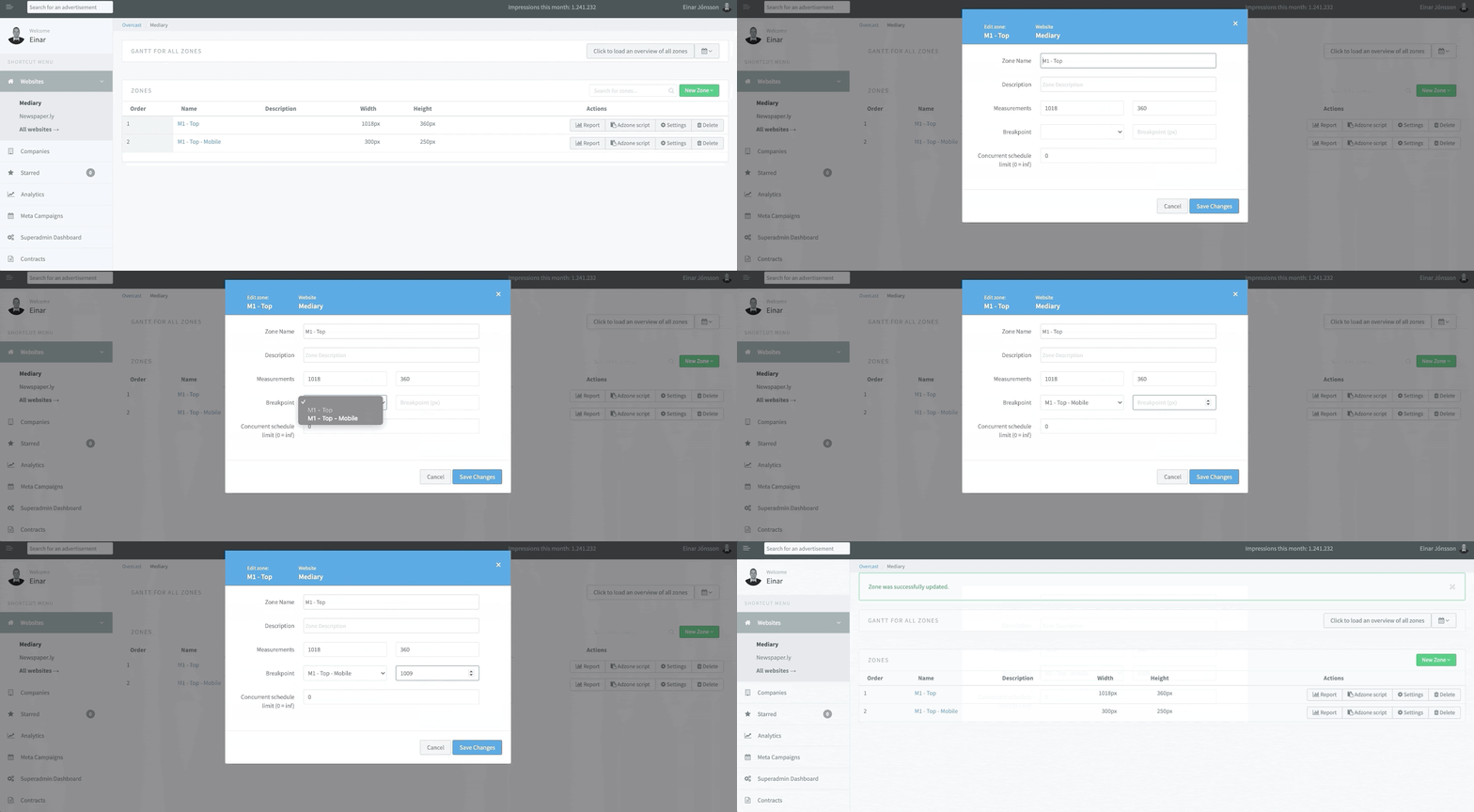
Your zone is now ready to go! All there is left to do is to create a schedule for the zone and Airserve will do all the work for you.
Comments
0 comments
Article is closed for comments.